
Limited-Time Offer: Enjoy 50% Savings! Ends in 00h 00m 00s Coupon code: 50OFF
Skip to content

Free Salesforce Loyalty Management Accredited Professional Exam Salesforce-Loyalty-Management Exam Questions

Page: 1 / 11 Total 104 questions

Want more questions? Get Premium Access.

Question 1

A loyalty Program would like to set up a new process where a push notification or email will be sent to the client immediately after a voucher is added to their member account within Salesforce Marketing Cloud.

The notification message will require the ''first name'' and the ''membership number'' to personalize the message and, a custom object named

''voucher issued'' with the necessary data attributes.

Which option for the entry event should be selected as the preferred implementation approach that can meet the requirements with the least amount of development effort?

A)
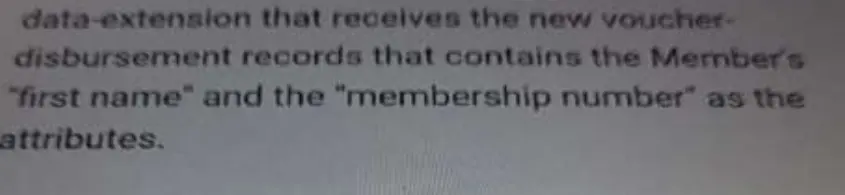
B)
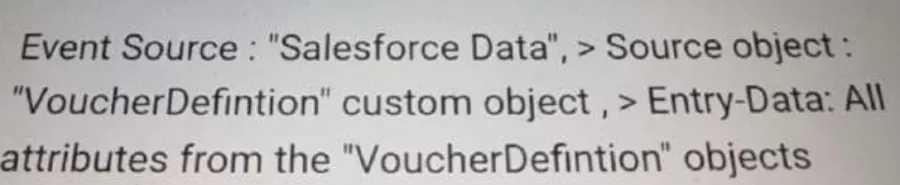
C)
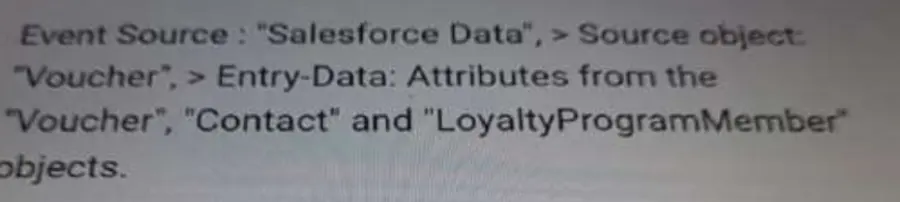
D)
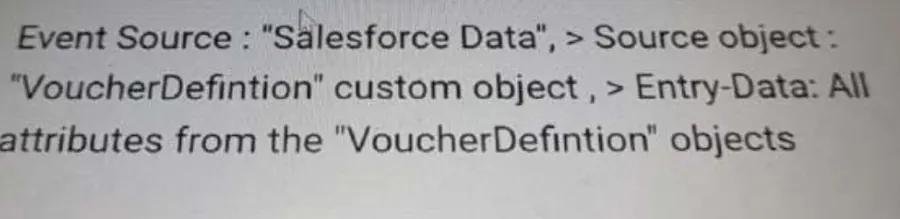
Correct Answer: C. Option C
Explanation:

For the scenario described, where a loyalty program wants to send an immediate notification after a voucher is added to a member's account, the entry event in Salesforce Marketing Cloud needs to trigger off of the creation of a record in Salesforce that contains the necessary data attributes for personalization.

Option C is the most suitable choice because it specifies an entry event based on the 'Voucher,' 'Contact,' and 'LoyaltyProgramMember' objects. This approach aligns with the requirements because it directly utilizes the 'first name' from the Contact object and the 'membership number' from the LoyaltyProgramMember object, which are necessary for personalizing the notification message.

Moreover, Option C would likely require the least amount of development effort because it leverages existing Salesforce data and related objects without the need for additional configuration or data extensions. In contrast, other options would require the setup of a data extension or custom objects that may not be directly tied to the triggering event, thereby increasing the complexity and development effort.

In Salesforce Marketing Cloud, Journey Builder is the tool that would be used to create this customer journey. It allows for the configuration of entry events based on data changes in Salesforce, such as the addition of a voucher to a member's account. The real-time nature of this trigger is essential for the immediate notification requirement.

According to Salesforce's official documentation, using Salesforce data as the entry source for a journey allows for real-time messaging based on record creation or updates. This means that as soon as a voucher record is created or updated in Salesforce, the entry event can trigger and begin the journey, which will send the personalized notification to the member.

In practice, setting up this entry event in Journey Builder would involve specifying the criteria for the trigger (in this case, the creation of a voucher) and mapping the necessary data fields for personalization. This is consistent with Salesforce's best practices for creating personalized, real-time customer engagements through Journey Builder.

Salesforce's documentation on Journey Builder and real-time event triggers provides further details on how to configure these types of journeys and can be referred to for step-by-step guidance and the latest feature updates.


Question 2

A company is designing a new Loyalty Program to reward its members based on purchases and short-term and long-term engagement with the program.

Which two types of currency does Salesforce Loyalty Management offer out-of-the-box that can be configured to accomplish the company's Loyalty Program objectives?

Correct Answer: B. Non-Qualifying Points and Qualifying Points
Explanation:

Salesforce Loyalty Management offers two types of currency out-of-the-box that can be configured to accomplish the company's objectives for rewarding members based on purchases and engagement:

Non-Qualifying Points and Qualifying Points (B): Non-Qualifying Points are typically used for redemption purposes, allowing members to redeem these points for rewards or benefits. Qualifying Points, on the other hand, are often used to determine a member's tier or status within the loyalty program, often based on their purchases or engagement activities.

Fixed Model and Activity Model (option A), Activity Points (option C), and Fixed Model in combination with Qualifying Points (option D) are not types of currency offered by Salesforce Loyalty Management. The system specifically uses Non-Qualifying and Qualifying Points to differentiate between points that contribute to tier status and those available for redemption.

Salesforce documentation on Loyalty Management would detail the configuration and use of these currencies within a loyalty program, including how they can be tailored to meet specific program objectives.


Question 3

A Consultant needs to design a new tier-upgrade process for a new Loyalty Program. The custom object to store the qualified members and a batch job is identified for this process.

Which two components should the Consultant select for this process?

Correct Answer: C. A flow to perform the tier-upgrade rule and another flow to perform the tier-upgrade orchestration process; D. A data-processing-engine (DPE) to identify the qualified members
Explanation:

For designing a new tier-upgrade process in a Loyalty Program, the Consultant should select:

A flow to perform the tier-upgrade rule and another flow to perform the tier-upgrade orchestration process (C): This approach allows for the separation of concerns, where one flow is responsible for evaluating whether members meet the criteria for a tier upgrade, and another flow is responsible for the actual process of upgrading the member's tier. This modular design improves maintainability and scalability.

A data-processing-engine (DPE) to identify the qualified members (D): The DPE can efficiently process large sets of member data to identify those who qualify for a tier upgrade based on the program's criteria. This component is crucial for automating the tier-upgrade process at scale, especially in programs with a significant number of members.

Option A combines both processes into a single flow, which could become complex and harder to maintain. Option B suggests using a single flow for scheduling and processing, which might not offer the required flexibility and efficiency for handling complex tier-upgrade criteria and orchestration.

Salesforce documentation on Loyalty Management provides guidelines on leveraging Flow and DPE for automating and orchestrating various loyalty program processes, including tier upgrades.


Question 4

How should a Loyalty Management consultant integrate Marketing Cloud with Loyalty Management in order to create journeys for promotions?

Correct Answer: D. Use Marketing Cloud Connect
Explanation:

To integrate Marketing Cloud with Loyalty Management for creating journeys for promotions, the most effective method is:

Option D 'Use Marketing Cloud Connect.' Marketing Cloud Connect integrates Salesforce CRM data with Marketing Cloud, allowing for the creation of targeted, personalized journeys based on Salesforce data, including Loyalty Management data.


Question 5

Northern Trail, outfitters (NTO) needs to process tier assessment rules on its member's anniversary date NTO wants to set up a Data Process Engine that transforms the data that is available in Salesforce and writes back the transformation results as new or updated records.

Which Kind of permission Set is required to enable the Data Processing Engine definitions?

Correct Answer: B. Data Pipelines Base User
Explanation:

To enable the Data Processing Engine for processing tier assessment rules on members' anniversary dates, the required permission set is:

Data Pipelines Base User (B): This permission set grants the necessary access to configure and manage Data Processing Engine definitions, allowing for the transformation of Salesforce data and the writing back of transformation results as new or updated records. This capability is crucial for automating tier assessments and other data-intensive processes within Salesforce Loyalty Management.

Options A (CLA Analytics Base Admin), C (Rule Engine Designer), and D (Loyalty Analytics Admin) do not specifically pertain to enabling the Data Processing Engine for tier assessment and other data processing tasks within Loyalty Management.

Salesforce documentation on Loyalty Management and Data Processing Engine would provide insights into the required permissions and best practices for setting up and managing data transformations and tier assessments within a loyalty program.


Question 6

What is the most efficient way to automatically reset qualifying points for high volume Loyalty Programs?

Correct Answer: B. Use the out-of-the-box 'Reset Qualifying Points'' data processing engine and trigger its execution using, for instance, a Schedule-Triggered Flow.
Explanation:

The most efficient way to automatically reset qualifying points for high-volume Loyalty Programs is to use the out-of-the-box 'Reset Qualifying Points' data processing engine and trigger its execution using, for instance, a Schedule-Triggered Flow. This method leverages Salesforce's built-in capabilities to manage the reset process without the need for custom code. The data processing engine is designed to handle large volumes of data efficiently, ensuring that the points reset process is completed accurately and timely across all relevant member accounts.


Question 7

Which two features below are supported in the reference integration between Loyalty and Commerce Cloud?

Correct Answer: B. Loyalty member profile; C. Loyalty member enrollment
Explanation:

In the reference integration between Salesforce Loyalty Management and Commerce Cloud, two key features are supported: 'Loyalty member profile' and 'Loyalty member enrollment.' The 'Loyalty member profile' feature allows for the management and viewing of loyalty member information within Commerce Cloud, providing a seamless experience for members as they interact with the brand across different platforms. The 'Loyalty member enrollment' feature enables new customers to join the loyalty program directly through Commerce Cloud, facilitating the growth of the loyalty program and enhancing customer engagement by leveraging the commerce platform.


Question 8

For the integration of Loyalty Management and Service Cloud, which two methods should a Technical Consultant use for associating a Loyalty Program Member with a Case?

Correct Answer: A. Add the loyalty Program Members' related list on the Case page layout; D. Add the 'Cases' related list on the Loyalty Program Member page layout
Explanation:

For integrating Loyalty Management and Service Cloud, a Technical Consultant should use the following methods to associate a Loyalty Program Member with a Case:

Add the Loyalty Program Members' related list on the Case page layout (A): This allows agents to view and access loyalty program member information directly from a Case record.

Add the 'Cases' related list on the Loyalty Program Member page layout (D): This enables the viewing and management of cases related to a specific loyalty program member from their loyalty member record.

These configurations enhance the integration between Loyalty Management and Service Cloud, providing a seamless experience for service agents handling loyalty program members' inquiries and cases.


Question 9

When implementing Analytics for Loyalty, what are the three steps to turn on analytics and dashboards?

Correct Answer: A. Assign Analytics for Loyalty User Permissions.; C. Schedule dataflow for the analytics; E. Install CRM Analytics package
Explanation:

To turn on analytics and dashboards for Loyalty, the three essential steps are:

Assign Analytics for Loyalty User Permissions (A): This step ensures that users who need to access Loyalty Analytics have the necessary permissions to view and interact with the analytics and dashboards.

Schedule dataflow for the analytics (C): Dataflow is the process by which data moves from Salesforce objects into Analytics datasets. Scheduling dataflow is crucial for ensuring that the analytics and dashboards have up-to-date information from the Loyalty Management system.

Install CRM Analytics package (E): This involves adding the CRM Analytics package to your Salesforce org, which provides the tools and capabilities needed to create and customize analytics and dashboards for Loyalty Management.

Option B (Create standard Salesforce reports and dashboard) and Option D (Create an App using existing templates) are valuable for general reporting and app development within Salesforce but are not specifically tied to the initial steps for enabling Loyalty Analytics and dashboards.

Salesforce documentation on Loyalty Management and CRM Analytics would detail the process of enabling analytics for Loyalty, including the setup of user permissions, dataflow scheduling, and the installation of necessary packages to utilize analytics and dashboards effectively.


Question 10

While designing an experiential Loyalty Program, what are the two recommended objects to be used as a best practice to track what type of activity the member has with the program?

Correct Answer: D. Journal Type & Journal Subtype