Limited-Time Offer: Enjoy 50% Savings! Ends in 00h 00m 00s Coupon code: 50OFF
Skip to content

Free SAP Certified Associate - SAP SuccessFactors People Analytics: Reporting C_THR92_2505 Exam Questions

Page: 1 / 8 Total 80 questions

Want more questions? Get Premium Access.

Question 1

You are configuring a story report. You add the image widget to the top-left corner of the canvas. You then upload the SAP SuccessFactors logo in the Builder, and select the logo image so it displays on the canvas. When you preview the report in View Mode, the logo appears centered on the canvas. What action do you take so the Logo appears in the top-left corner when viewing the report in View Mode?
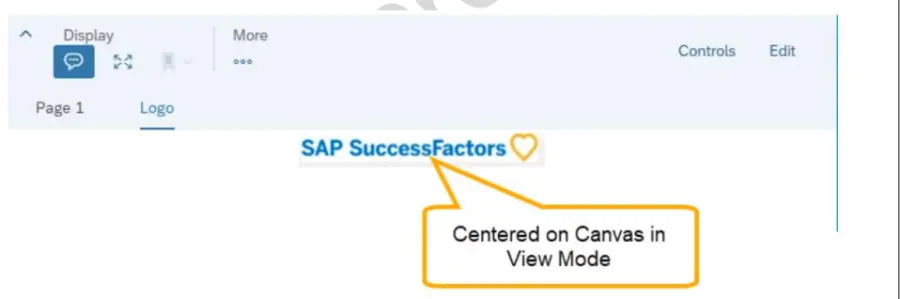
Correct Answer: A. In Styling for the page, set the Page Size to Fixed.
Question 2

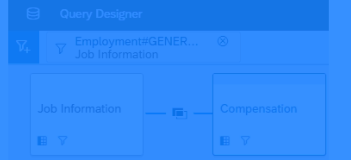
You are creating a query that lists employee information such as name, address, and dependent information. The query uses Personal Information as the driving table and joins the Dependents and Address tables. You notice many employees are missing from the result set. What are the reasons?

Correct Answer: C. Personal Information is joined to both the Dependents table and the Address table with an inner join.

Question 3

An executive reviews a canvas report on employee compensation. The executive discovers that NOT all employees are included in the report. You need to adjust the report so that all employees are included by default, but included employees can be adjusted at runtime. How do you accomplish this task? Note: There are 2 correct answers to this question.

Correct Answer: A. Enable User Prompted People Scope.; B. Set the People Scope Team Manager to Logged in User and set Team Reporting Type to other filters.

Question 4

A user reports they are unable to successfully create a new Story report in Report Center. The page is stuck in a blank loading screen. How do you validate the user exists and has the proper configuration in the SAP Analytics Cloud Solution?

Correct Answer: A. In the SuccessFactors HXM suite, use the check tool to run the 'Availability of user record for v u People Analytics' check.

Question 5

You want to join two tables, A and B, and you want to include all rows from Table A, and only matching rows from Table B. Which join type must you use?

Correct Answer: B. Left

Question 6

You are creating a Story report on employment and compensation information. You have created two queries to support the story report. The table and the left chart are using an employment query as its data source. The right chart uses a compensation query as its data source. Both queries include the field for the employee Job Title. When you add an input control to the page, it only filters the table and the left chart. What action must you take to configure the input control to effect both charts and the table?

Correct Answer: D. Set up Linked Dimensions.

Question 7

In the Advanced Reporting tool, you want to create a query where the results meet the following criteria: Only show one row per employee, Only show the pay components Base Salary and Bonus, Show these pay components as individual columns. You have joined the Global Job Information table with the Compensation table.What else must you do? Note: There are 2 correct answers to this question.

Correct Answer: B. Duplicate the Compensation table.; C. Configure a table restriction of the Compensation table.

Question 8

Within a Story, you create a query using the Basic User Information table. After you add the Proxy Information table, you notice that some of the basic information records are NO longer displayed in the preview. How do you adjust the query to return the missing records in the preview?

Correct Answer: C. Change the join type to Left Outer Join.

Question 9

You have created a custom MDF object to track company car information. You need to be able to create story reports on the data of the custom MDF object. What must you do to enable a custom MDF object to be listed in the Available Data section of Query Designer?

Correct Answer: B. Update the Report Object Configuration Entity record for the object and associate the object with a schema.

Question 10

If you want to create a single filter that utilizes criteria from multiple tables in the same query, which filter do you need to use in Query Designer?

Correct Answer: C. Query Advanced filter